
Yes, reading native news is one of the highest-value habits a language learner can build, and you can start in the next five minutes. Open one short article on a topic you already follow, read it once for gist without stopping, then circle back and look up five words that repeat. That single loop, repeated daily, teaches vocabulary and grammar faster than most textbook drills, and a tool like WordByWord can track which words you already know before you even start reading.
TL;DR:
- Reading native news exposes learners to real-world language used in formal and impersonal contexts, accelerating vocabulary and grammar acquisition more effectively than textbooks.
- Choosing short, familiar, and topically relevant articles ensures better comprehension and reduces overload, while filtering for articles with higher word recognition improves learning efficiency.
- Active reading routines, including pre-scanning, limited lookups, summarizing, and pairing reading with speech or listening, reinforce vocabulary retention and understanding.
- Tools like WordByWord aid the process by highlighting unknown words, tracking vocabulary through spaced repetition, and assessing article difficulty instantly.
- A consistent two-week plan with daily short articles and incremental difficulty fosters noticeable progress and sustained reading habits.
Table of Contents
- Why Reading Native News Builds Vocabulary Faster Than Textbooks
- How Do You Choose Native News Articles That Actually Help You Learn?
- What’s the Best Active Reading Routine for One Article?
- Which Tools Actually Support This Routine?
- A Two-Week Starter Plan for Reading Native News Daily
- How WordByWord’s Design Mirrors This Reading Routine
- Try WordByWord to Speed Up Your Native News Reading Routine
- Research and Learning Sites to Read Next
- Sources
Why Reading Native News Builds Vocabulary Faster Than Textbooks
News writing exposes you to formal register, fixed expressions, and impersonal phrasing you rarely meet in textbook dialogues. A journalist writing about a policy vote or a weather event uses the same structures native adults use every day, not simplified classroom sentences. That’s the appeal and the challenge at once.
A systematic review of online news for language learning found real advantages: expanded vocabulary, grammar exposure in context, and cultural framing you can’t get from a workbook. The same review flags the drawbacks, though.
- Complexity spikes fast once a topic moves outside your existing knowledge.
- Bias and slant creep into word choice, especially in politics and business coverage.
- Overload happens when you try to read too much too soon.
- Accessibility varies, since paywalls and ad-heavy layouts slow down casual reading.
News reading works best as one tool among several, sitting closer to intensive reading (careful, word-by-word attention) than to the extensive reading (fast, high-volume, low-friction) approach extensive reading protocol advocates for building overall fluency.
How Do You Choose Native News Articles That Actually Help You Learn?
Picking the wrong article wastes twenty minutes on a text your brain fights instead of learns from. Use these criteria before you commit to reading anything all the way through.
- Start with topics you already follow. Existing background knowledge lowers the mental load, so unfamiliar words get inferred from context instead of blocking comprehension.
- Favor short “in-brief” items. Practitioner advice on reading news for fluency points to commuter-style short pieces because they use predictable, limited vocabulary sets rather than sprawling feature-length prose.
- Run a 30-second scalp test. Read the headline and the first two sentences. If you recognize fewer than half the words, reject it and pick something shorter or simpler.
- Search smart. Try your browser’s news tab filtered by language, or check graded sections built for learners, since LangMedia’s guide to learning through news specifically recommends starting with topics you already follow and treating short items as your entry point.
- Use aggregator apps for variety. Platforms built around translation and text-to-speech features give you thousands of outlets in one place, which matters once you outgrow the two or three sites you started with.
Youth publications and graded news sections exist for a reason. They cut sentence length and swap obscure idioms for plainer phrasing, without dumbing down the actual news.
What’s the Best Active Reading Routine for One Article?
Reading passively teaches almost nothing that sticks. Active reading turns a single article into a repeatable study session, and the whole thing takes fifteen to twenty minutes once it becomes habit.
- Pre-scan before you read. Glance at the headline, photo captions, and any subheadings. This activates whatever background knowledge you already have on the topic, which speeds up comprehension once you start reading properly.
- Read once for gist. Don’t stop for unknown words on this pass. Just get the shape of the story: who, what, where, why it matters.
- Limit lookups to 5 to 10 words. Pick the ones that repeat or that block a whole sentence’s meaning, and note the collocation around them, not just the isolated word. “Cast a vote” teaches you more than “vote” alone.
- Save what you looked up. Drop those words into a study system that schedules review through spaced repetition, rather than trusting yourself to remember them from a single exposure.
- Produce a short output. Write one sentence summarizing the article in the target language. If you know a native speaker, send it and ask if it sounds natural.
- Add a micro-practice. Read the article aloud once you understand it, or listen to an audio version if one exists, since pairing text-to-speech with reading reinforces both listening and pronunciation.
Pro Tip: Find the same story covered by two different outlets and read both versions back to back. The facts stay identical, but the phrasing changes, which is exactly how you pick up collocations and alternate ways to say the same thing without extra vocabulary lookup.
Come back to the same article after a week and read it again cold. You’ll notice how much faster it goes, and that speed is the actual proof the words stuck.
Which Tools Actually Support This Routine?
Graded news sections built for learners strip out some of the friction: shorter sentences, controlled vocabulary, sometimes audio versions read at a slower pace. They’re a fair place to warm up before jumping into unedited native reporting, and a 2024 literature review backs graded resources as a sound entry point for learners at lower levels.
Beyond graded sites, a few tool categories matter:
- Text-to-speech turns any article into a listening exercise, which pairs reading with pronunciation practice in the same sitting.
- News aggregators with built-in translation let you flip between the target language and English mid-article when you get stuck.
- Vocabulary trackers stop you from relearning the same word five times because you never wrote it down the first time.
This is where WordByWord fits directly into the routine above. Spotlight highlights unknown words right on the page as you read, so the five to ten words worth looking up are visible before you even open a dictionary tab. The comprehension percentage tells you upfront what share of an article’s words you already know, which answers the “is this article too hard” question in one glance instead of a guess. Words you save go into collections reviewed through spaced repetition, closing the loop between “I looked this up” and “I actually remember it.” If you want to go deeper on the mechanics, WordByWord’s guide to collocations versus single words and its breakdown of text-to-speech for reading both expand on pieces of this same workflow.
A Two-Week Starter Plan for Reading Native News Daily
Consistency beats intensity here. A short, repeatable plan gets you further in two weeks than one marathon reading session ever will.
- Days 1 through 7: Read one short article daily, ideally under 300 words. Save exactly 3 words per article, no more. Write one summary sentence in the target language before bed.
- Days 8 through 14: Move to slightly longer or harder articles. Save 5 words per article instead of 3. Once a week, write a short paragraph using four or five of your saved words together.
- Track three numbers as you go: your daily streak, your comprehension percentage on each new article, and how many saved words have moved from “new” to “known” in review. When comprehension consistently clears 80% on your current level, it’s time to pick harder articles.
If daily reading feels shaky by day 5, don’t quit. Shrink the article length instead of the frequency. A three-sentence brief still counts, and showing up matters more than the word count on any single day. For a broader look at pacing reading difficulty over time, WordByWord’s extensive versus intensive reading guide is worth a read once this plan feels automatic.
How WordByWord’s Design Mirrors This Reading Routine
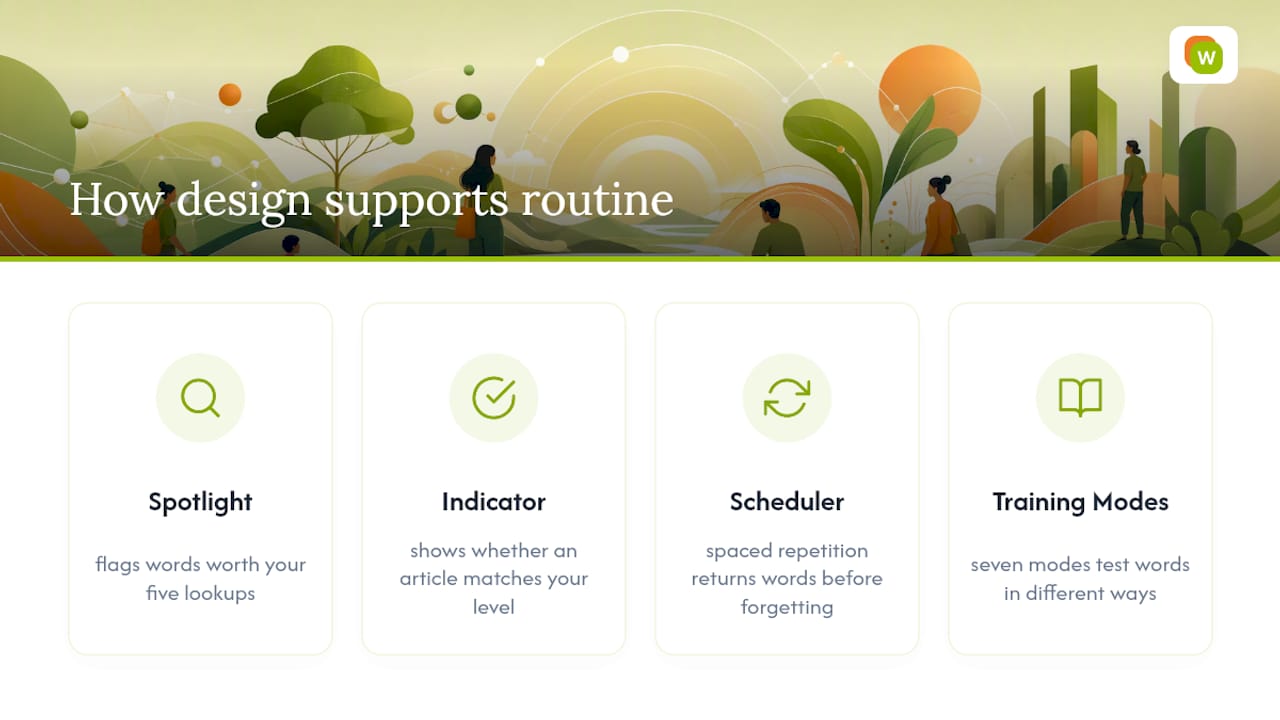
We built Spotlight and the comprehension indicator around the exact bottleneck this routine runs into: knowing which words are worth your five lookups and which article is actually at your level before you commit twenty minutes to it. Neither feature is decorative. Both exist because guessing wastes a learner’s limited daily attention.
Spaced repetition scheduling behind the scenes handles the part most learners skip: coming back to a saved word before it’s forgotten, not after. The seven training modes exist because typing a word, hearing it, and building it letter by letter each reinforce a different memory pathway, and news vocabulary sticks better when it’s tested more than one way.
— WordByWord Team
Try WordByWord to Speed Up Your Native News Reading Routine
Every step in the active-reading routine above (spotting unknown words, checking if an article matches your level, saving vocabulary for review) is exactly what WordByWord automates inside your browser. Instead of switching between a dictionary tab, a note app, and a flashcard deck, Spotlight marks unfamiliar words directly on the news page you’re already reading, and the comprehension percentage tells you in one glance whether today’s article is a good fit before you invest the time.
Saved words move straight into collections reviewed through spaced repetition, so the vocabulary from this morning’s article is still there next week instead of fading the way notebook lists usually do. The WordByWord extension works on any news site, in PDFs, and in YouTube subtitles across more than 50 languages, and the free plan lets you test the whole workflow before you decide whether Premium’s unlimited collections are worth it. Install it, open tomorrow’s news in your target language, and see your comprehension percentage before you read the first sentence.
Research and Learning Sites to Read Next
A few sources back the routine in this guide and are worth bookmarking on their own.
- LangMedia’s guide to learning through online news lays out the classroom-tested case for starting with familiar topics and short items.
- The 2024 literature review on online news for language learning is the most thorough look at both the benefits and the real limits of this method.
- PressReader’s breakdown of news and language learning covers practical features like translation and text-to-speech that make daily reading easier to sustain.
- For speaking practice once your reading habit is solid, these French speaking drills offer a natural next step for French learners specifically.
Sources
- Leveraging Online News for Language Learning across Diverse Educational Contexts
- Learning through Online News Sources | LangMedia - Five College Center for World Languages
- How reading the news supports language learning — and makes it fun - PressReader Business