

A cloze deletion card is a fill-in-the-blank flashcard that hides part of a sentence so you retrieve the missing word from context instead of a direct question. Use cloze cards when meaning depends on surrounding words (grammar, collocations, phrases in context); use Q&A cards for isolated facts that stand alone.
Making one in Anki takes three moves:
-
Open the editor and switch the note type to Cloze.
-
Type your sentence, select the word to hide, and click the cloze button (or type the markup by hand).
-
Click Add.
The markup looks like this:
She {{c1::went}} to the market yesterday.
A cloze card only works if the blank forces you to recall meaning, not guess it from grammar or word length. That distinction separates a useful card from a lazy one.
Key Takeaways
Effective cloze deletion cards hide one fact per sentence, keep enough context to make recall possible without making the answer obvious, and belong in Anki’s dedicated Cloze note type.
| Point | Details |
|---|---|
| One fact per blank | Split multi-fact sentences into separate cloze notes to keep each card gradable. |
| Match c-numbers to intent | Use the same number for related pieces, different numbers for cards you want scheduled independently. |
| Avoid guessable blanks | Skip words that are the only grammatical option or whose length gives away the answer. |
| Clean up empty cards | Run Tools → Empty Cards after editing cloze text to remove orphaned cards. |
| Capture vocabulary while reading | WordByWord builds collections from real articles and video, then exports to Anki via CSV/TSV for cloze creation. |
Table of Contents
What Do Cloze Deletion Cards Actually Test?
Cloze deletions work because the sentence around the blank gives you a retrieval cue your brain can latch onto. A cloze deletion keeps the missing word embedded in real meaning, which helps when the context itself is part of what you need to remember. That is different from a plain Q&A card, where the prompt and answer are stripped of everything except the fact.
For language learners, this makes cloze cards a natural fit for:
-
Collocations (“make a decision,” not “do a decision”)
-
Grammar particles and prepositions that only make sense in a sentence
-
Multiword expressions and idioms
-
Full example sentences that model correct word order
Compare the two formats directly. A Q&A card might ask “What does aunque mean?” A cloze card instead shows “{{c1::Aunque}} llueva, saldré a caminar” and asks you to produce the word that makes the sentence grammatically and semantically correct. The cloze version tests usage, not just definition.
The catch: if the blank is guessable from verb conjugation, sentence length, or an obvious grammatical slot, you are testing pattern recognition, not memory. Andy Matuschak’s notes on cloze prompts point out that poorly designed cloze cards can produce shallower learning than a well-written Q&A card, because they reward superficial matching over real recall.
How Do You Create a Cloze Deletion Card in Anki?
Start by opening the Anki editor and switching the note type dropdown to Cloze. This note type has two default fields: Text (where your sentence goes) and Extra (for notes, translations, or source context).
Here’s the workflow:
-
Type your full sentence into the Text field.
-
Highlight the word or phrase you want hidden.
-
Click the cloze button in the toolbar, or type the brackets manually as
{{c1::word}}. -
Repeat for additional blanks in the same sentence, using new c-numbers for items you want scheduled as separate cards.
-
Click Add to save the note.
According to the Anki Manual, selecting text and using the cloze command automatically wraps it in the correct markup. You do not need to type the double braces yourself, though knowing the syntax helps when editing by hand or troubleshooting.
Nested clozes and hints add flexibility. This snippet hides two different words on two different cards from the same sentence:
The {{c1::chef}} prepared a {{c2::soufflé}} for dessert.
Add a hint after a double colon to nudge recall without giving away the answer:
The {{c1::chef::profession}} prepared dessert.
Pro Tip: Hold Alt (Option on Mac) while clicking the cloze button to force the same c-number as your last cloze. This groups related blanks onto one card instead of splitting them into siblings you have to review separately.
A few things trip up new users. If you see more cards generated than you expected, check your c-numbers. Every distinct number creates its own card. If two blanks share c1, they appear together on one card; if one is c1 and the other is c2, Anki builds two cards, each hiding a different piece while showing the other in plain text.
Empty cards are the other common headache. If you delete text from inside a cloze deletion after the note has already generated cards, Anki does not always clean up the orphaned card automatically. Run Tools → Empty Cards periodically to find and remove them before they clutter your review queue.
What Makes a Cloze Deletion Card Actually Work?
Good cloze design comes down to one rule above the rest: one fact per blank. If a sentence tests two unrelated ideas in one card, split it into two notes. A card that asks you to recall a verb conjugation and an unrelated date at the same time punishes you for knowing half the answer.
Context matters just as much as atomicity. The sentence around the blank should give you enough to work with that you’re recalling meaning, not decoding a grammar puzzle. If the blank is the only word that fits grammatically, or its length gives away the answer, you’ve built a bad cloze.
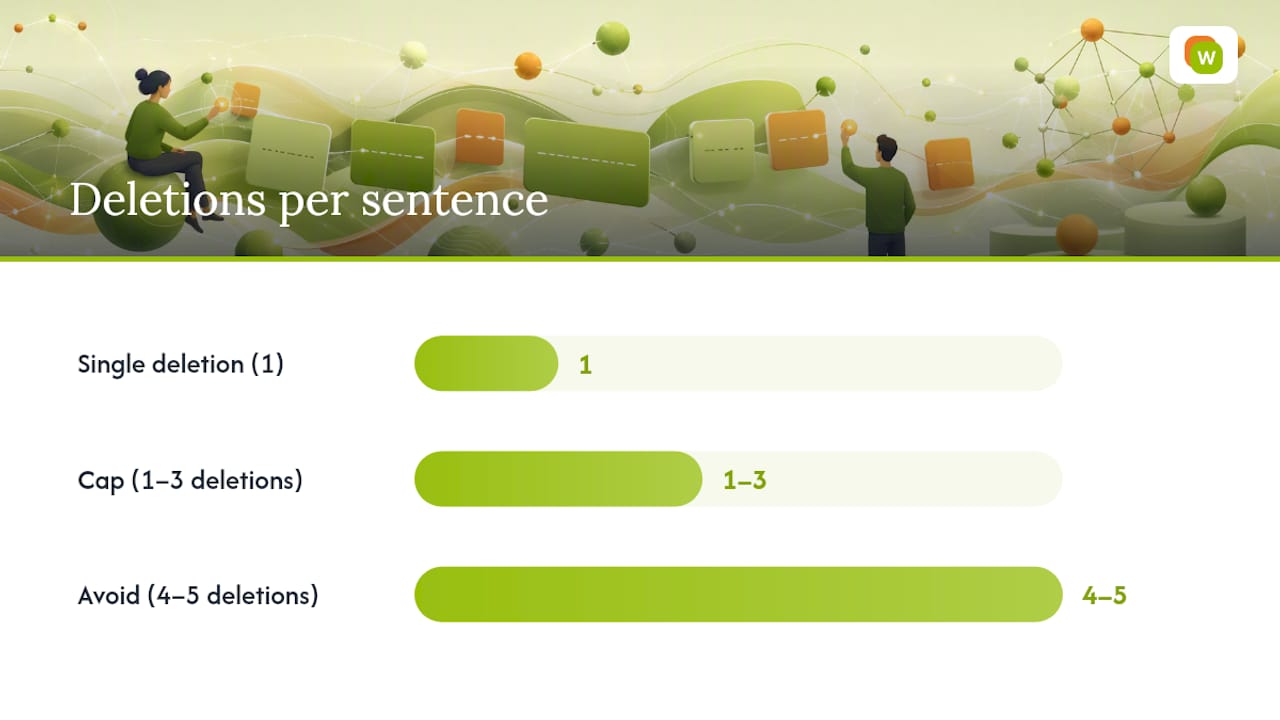
Cap yourself at one to three deletions per sentence. Beyond that, cards get noisy and self-grading turns unreliable, since you’re rarely sure which blank you actually missed.
Do this:
-
Hide content words that carry meaning (verbs, nouns, key adjectives)
-
Keep enough surrounding context to make recall possible, not automatic
-
Split multi-fact sentences into separate notes
Avoid this:
-
Hiding a word that’s the only grammatically possible option
-
Stacking four or five blanks in one sentence
-
Deleting function words with no semantic weight (unless you’re specifically drilling grammar particles)
Pro Tip: If you can guess the blank without reading the sentence twice, rewrite it. Research on cloze prompts suggests that overly easy blanks train pattern recognition, not the actual recall you’re trying to build. A card you can answer on autopilot isn’t doing its job.
This same principle applies beyond cloze cards. The idea of forcing genuine retrieval instead of recognition is central to active recall, and it’s why cloze deletions and active recall techniques tend to get grouped together in study advice.
How Do You Use Advanced Cloze Techniques Without Making a Mess?
Once you’ve made a few hundred basic cloze cards, a handful of advanced patterns start paying off.
Same c-number versus different c-numbers is the first fork in the road. Use the same number when you want related pieces to appear together and get graded as one unit, like a verb and its reflexive pronoun. Use different numbers when you want each piece scheduled independently, since Anki’s scheduler treats each card separately based on how you rate it.
Hints ({{c1::palabra::pista}}) help when you’re first encoding new vocabulary and need a small scaffold. The risk is leaning on them too long. If you still need the hint after two weeks of reviews, the card probably needs a rewrite, not a permanent crutch.
A few patterns work particularly well for language study:
-
Collocation clozes: “She {{c1::keeps}} her promises” drills the verb that pairs naturally with “promises.”
-
Conjugation clozes: “Nosotros {{c1::comimos}} paella ayer” isolates the past tense form in context.
-
Particle clozes: “I’m looking {{c1::forward}} to the trip” targets the phrasal verb piece learners forget.
-
Paired-value clozes: hiding a word and its translation on the same card, using the same c-number, so both surface together.
Nested clozes are supported in modern Anki, but overlapping the same text range with two different c-numbers is not. If you try to hide overlapping fragments separately, Anki either errors out or produces a card that doesn’t make sense. Keep your blanks non-overlapping and you’ll avoid the issue entirely.
Anki Settings and Troubleshooting for Cloze Cards
Cloze note types follow a strict rule: Anki generates one card per unique cloze number in a field. Three distinct numbers (c1, c2, c3) produce three cards, each showing the others’ answers in plain text while hiding one. This is baked into the template system, which uses {{cloze:FieldName}} to render the hidden text correctly on each generated card.
If your review counts look off after a big import, the cause is almost always inconsistent c-numbering. A checklist for the most common problems:
-
Duplicate-feeling cards: Check whether you accidentally used different c-numbers for text that should share one number.
-
Unexpected card counts: Count your distinct c-numbers in the field. That number should match the cards Anki generated.
-
Empty cards after edits: Run Tools → Empty Cards to find and remove orphans left behind when you delete cloze text.
-
Nested cloze confusion: Remember that overlapping ranges with different numbers aren’t supported. Keep blanks separate.
Templates can also show extra context per cloze using conditional fields, so a hint or grammar note only appears on the relevant card instead of cluttering every sibling.
Pro Tip: Before importing a big batch of cloze notes, add five to ten of them into a throwaway test deck first. Check the generated card count matches what you expected, confirm nothing renders blank, and only then import the full batch. This catches c-numbering mistakes before they multiply across hundreds of notes.
What Tools Speed Up Cloze Deletion Creation?
Writing cloze cards by hand works fine at low volume, but it gets slow once you’re processing real articles or transcripts for vocabulary. A few categories of tools help close that gap.
Cloze generator tools can take a block of text and export it in Anki-ready format. Some, like the IIENSTITU cloze generator, let you choose a deletion strategy (manual click-to-hide, automatic nouns and verbs, or every-Nth-word) and export a TSV file with {{c1::...}} syntax already in place. Every-Nth-word generators work well for general reading fluency, while targeted cloze tools are built for drilling specific vocabulary you choose.
A practical workflow looks like this:
-
Draft cloze sentences from real reading or listening material
-
Review each one for atomicity and guessability before finalizing
-
Export or paste into Anki, using TSV import for batches
-
Spot-check the first ten generated cards before reviewing the rest
If you capture vocabulary while reading articles or watching videos, WordByWord fits neatly into this pipeline: word collections built from real content can export to CSV or TSV, which Anki accepts directly for cloze note import. That gives you a bridge from incidental reading straight into structured cloze practice, covered in more depth in this guide to tracking vocabulary while reading.
One caveat worth flagging: online cloze generators vary in privacy handling. Some process text entirely on your device; others require an account or send text to a server. Check which mode a given tool uses before pasting anything sensitive.
When Should You Actually Use Cloze Cards?
Use cloze deletions for anything context-dependent: collocations, particles, grammar that only makes sense inside a full sentence. Use Q&A cards for isolated facts, definitions, or vocabulary that doesn’t lean on surrounding words. Most decks benefit from mixing both rather than committing to one format across the board.
We’d skip cloze cards entirely for raw vocabulary lists (a word and its translation, nothing else) and for anything where writing a good, non-guessable sentence would take longer than the fact is worth learning. If a topic isn’t well suited to either format, a spaced repetition schedule built around your actual workload matters more than the card type you pick.
The short version: match the format to how the knowledge lives in your head, not to whichever card type is faster to type.
Turn What You Read Into Cloze Practice Automatically
Building good cloze cards from scratch takes time you’d rather spend reading. WordByWord skips the blank-sentence-hunting step: it captures words directly from the articles, PDFs, and YouTube videos you’re already using, then lets you turn those collections into flashcards without retyping a single sentence.

The features that matter most for a cloze-style workflow:
-
One-click translation on any webpage, PDF, or YouTube subtitle track across 50+ languages
-
Collections you build by hand, generate with AI from a prompt, or import via CSV
-
CSV/TSV export that plugs straight into Anki’s cloze note type
-
Seven built-in training modes if you’d rather review inside WordByWord instead of exporting
If you’re tired of manually writing cloze sentences for every new word, install the WordByWord extension and build your first collection from an article you were already planning to read.
Frequently Asked Questions
What is a cloze deletion card? It’s a flashcard that hides one or more words in a sentence, using markup like {{c1::word}}, so you retrieve the missing term from the surrounding context rather than answering a direct question.
How do I make multiple cloze deletion cards from one sentence? Use different c-numbers (c1, c2, c3) for each word you want hidden separately. Anki generates one card per number, showing the others as plain text.
Why does Anki show more cards than I expected? Check for inconsistent c-numbering. Every distinct cloze number creates its own card, so a typo that introduces an extra number will generate an extra card.
Should I use cloze cards for vocabulary lists? Not usually. Cloze deletions shine when meaning depends on context, like collocations or grammar particles. Plain vocabulary pairs often work better as simple Q&A cards.
How many deletions should one cloze sentence have? Stick to one to three. More than that tends to make self-grading unreliable, since you can’t always tell which blank you missed.


