If you’ve already decided Anki isn’t working for you, the short answer is this: RemNote leads for note-integrated studying, FlashRecall wins on AI speed for iOS users, and NoteHive AI eliminates card creation entirely by generating decks from lecture recordings. The table below covers all 17 options so you can find your fit fast.
| App | Best For | Key Features | Pricing | Algorithm | Platforms | Pros | Cons |
|---|---|---|---|---|---|---|---|
| RemNote | Notes + flashcards together | FSRS, AI card gen, deep note linking | Free / $8/mo | FSRS | Web, iOS, Android, Desktop | Context-preserving reviews | Steeper setup |
| Quizlet | Beginners, pre-made decks | Large deck library, easy sharing | Free | Basic SRS | Web, iOS, Android | Huge community library | Weak SRS depth |
| Brainscape | Habit-driven learners | Confidence-based SRS, clean UI | Free / $8/mo | Confidence-based | Web, iOS, Android | Fast setup | Manual card creation |
| StudyStack | Casual and younger learners | Simple cards, games | Free | Basic | Web | Very accessible | No AI, limited depth |
| SuperMemo | Algorithmic control, language learning | SM-2 algorithm, language focus | — | SM-2 | Windows, iOS, Android | Pioneer algorithm | Dated interface |
| Kahoot! | Classrooms, group study | Live games, quizzes | Free / $3/mo | None (game-based) | Web, iOS, Android | Engaging group format | Not for solo SRS |
| FlashRecall | Fast AI card gen on iOS | AI from photos, PDFs, YouTube, audio | Free | Built-in SRS | iOS | Zero setup, multimedia input | iOS only |
| Boterview | Active learning with AI | AI card generation, comprehension focus | Not publicly listed | Custom | Web | AI-optimized for understanding | Limited public info |
| Obsidian + plugin | Custom SRS in note-taking | Plugin ecosystem, Markdown | Free (plugin costs vary) | Plugin-dependent | Desktop, iOS, Android | Highly customizable | Requires configuration |
| Algo App | Mobile, on-the-go learners | Clean UI, SRS scheduling | Free / $29.99/yr | SRS | iOS, Android | Portable and simple | Less feature-rich |
| Noji | ADHD and neurodiverse learners | Focus-oriented UX, engagement tools | Free / premium not listed | SRS | iOS, Android | Designed for attention challenges | Niche audience |
| Voovo | AI-assisted multimedia study | AI features, multimedia support | Not publicly listed | SRS + AI | Web, iOS, Android | Varied content types | Smaller community |
| KaChiKa | Visual vocabulary learners | Photo-based card gen, SRS | Not publicly listed | SRS | iOS, Android | Visual learning focus | Vocabulary-specific |
| Mochi | Markdown-native SRS | Markdown workflow, native SRS | Free / paid tiers | Native SRS | Web, Desktop | Clean Markdown integration | Smaller user base |
| StudySmarter | All-in-one study platform | AI coaching, notes, flashcards | Free / paid tiers | AI-assisted | Web, iOS, Android | Broad feature set | Can feel cluttered |
| NoteHive AI | Auto-generation from lectures | Lecture recording to flashcards | Free / paid tiers | Progress tracking | Web, iOS, Android | Removes card creation entirely | No full SRS scheduling |
| Obsidian | Note-taking base app | Markdown, plugin ecosystem | Free | Plugin-dependent | Desktop, iOS, Android | Powerful base app | Needs SRS plugin to function |
Why learners look for Anki alternatives
Anki works. That’s not in question. Medical students preparing for USMLE Step 1 have relied on it for years, and its algorithm remains a benchmark for long-term memorization. But “it works if you commit to it” is a real caveat, and a lot of learners never get past the setup.
The friction points are specific:
- Dated interface. Anki’s desktop UI looks like software from 2008, because much of it is. Newer learners accustomed to modern apps find it genuinely off-putting.
- Manual card creation. Every card you want to study, you type yourself. For a 500-card deck, that’s hours of work before you’ve studied a single concept.
- No built-in AI. Automatic card generation from PDFs, lecture slides, or YouTube videos requires third-party add-ons and extra configuration.
- iOS app cost. The official Anki app for iPhone costs $24.99, a real barrier for students on tight budgets.
- Steep learning curve. Configuring deck options, understanding intervals, and installing add-ons requires real effort that casual learners rarely invest.
- Limited note integration. Anki stores flashcards separately from your notes, so reviewing a card gives you no surrounding context from your original material.
None of these are fatal flaws for a committed power user. But for everyone else, they’re reasons to look elsewhere.
How these Anki alternatives were evaluated
Testing covered 17 apps across six dimensions. Here’s what drove the rankings:
- Algorithm quality. Does the app use FSRS, SM-2, confidence-based scheduling, or something proprietary? Apps with FSRS adoption scored higher for scheduling precision.
- Card creation speed. How long does it take to go from raw notes to a reviewable deck? AI-powered tools that cut creation time from minutes to seconds ranked above manual-only tools.
- User interface. Hands-on use assessed how quickly a new user could start a study session without reading documentation.
- Platform availability. iOS, Android, web, and desktop coverage all factored in, with cross-platform sync weighted heavily.
- Data portability. Can you export your decks in .apkg or CSV format? Avoiding lock-in matters for serious learners with large knowledge bases.
- Pricing and free tier quality. A free tier that actually lets you study beats one that gates core features behind a paywall.
- Integration with workflows. Apps that fit into existing note-taking or browsing habits reduce the friction of moving knowledge into flashcards.
Community feedback from Reddit, G2, and app store reviews supplemented hands-on testing to catch usability issues that short trials miss.
Detailed comparison of the top Anki alternatives
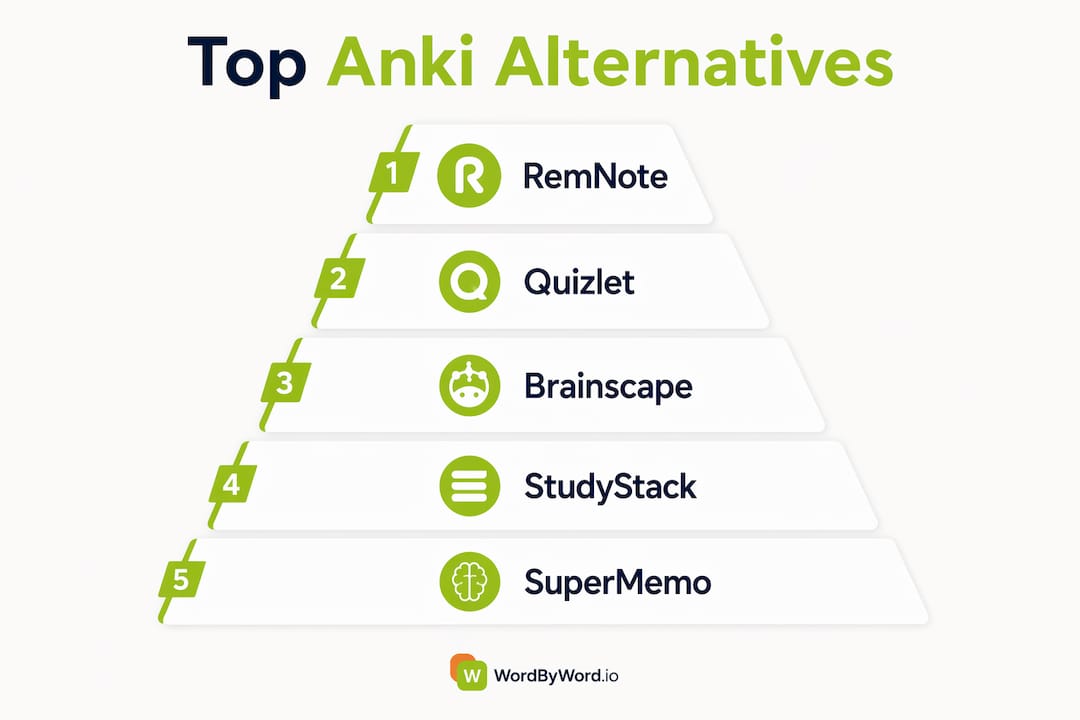
1. RemNote
RemNote solves the biggest structural problem with Anki: the disconnect between your notes and your cards. In Anki, you write notes somewhere, then manually recreate that content as flashcards in a separate app. RemNote puts both in the same document. Tag a term with double brackets while writing, and the app generates a card automatically. When you review that card, you see it in the context of the original notes, not in isolation.

It runs on FSRS, the same scheduling algorithm Anki uses, and supports AI card generation for users who want to go faster. The community is active, with shared decks and templates available. Pricing starts free, with a paid tier at $8/month for full AI and sync features.
2. Quizlet
Quizlet’s main advantage is its library. Millions of pre-made decks cover everything from AP Biology to the bar exam, and for courses with standardized material, someone has almost certainly already built what you need. Setup takes minutes.

The tradeoff is depth. Quizlet’s spaced repetition is weaker than Anki’s, and active recall isn’t enforced as strictly. The free tier has shrunk over the years, with AI study modes and offline access now requiring Quizlet Plus at around $35/year. For quick cramming or sharing sets with classmates, it’s hard to beat. For long-term retention of a large knowledge base, it falls short.
3. Brainscape
Brainscape uses confidence-based spaced repetition: after each card, you rate your confidence on a 1–5 scale, and the algorithm adjusts when you’ll see that card again. It’s a simpler mental model than Anki’s interval system, and the interface is noticeably cleaner. Setup is fast.
The free tier limits access to community decks, and most curated professional content sits behind a paywall. Card creation is still manual. If you want Anki’s algorithmic rigor without Anki’s interface complexity, Brainscape is the closest direct substitute.
4. StudyStack
StudyStack is a casual platform, and it knows it. The interface is simple, the games make studying feel lighter, and it works well for younger students or anyone who just needs a quick review tool. There’s no AI, no advanced algorithm, and no deep customization. For a middle schooler studying vocabulary or a college student cramming before a quiz, it does the job without any friction.
5. SuperMemo
SuperMemo invented the SM-2 algorithm that Anki is built on, which makes it historically significant and genuinely powerful for language learning. The algorithm gives you fine-grained control over review intervals, and the language-learning features are mature. The interface, however, is notoriously difficult. New users often find it harder to navigate than Anki. It’s best suited for learners who specifically want algorithmic control and are willing to invest time learning the tool.
6. Kahoot!
Kahoot! is a group tool, not a solo SRS app. It shines in classrooms and study groups where live quiz games drive engagement and make review sessions feel less like work. For individual spaced repetition, it’s not the right fit. For teachers or study group leaders who want to make review sessions interactive, it’s genuinely effective.
7. FlashRecall
FlashRecall is what most people wish Anki felt like on iOS. Take a photo of your notes, upload a PDF, paste text, drop in a YouTube link, or record audio, and the app generates flashcards automatically. No manual typing, no configuration. The built-in SRS handles scheduling without any settings to adjust.
The limitation is platform: FlashRecall is iOS only. Android users need to look elsewhere. But for iPhone and iPad users who want AI-powered card generation with zero setup, it’s the most frictionless option on this list.
8. Boterview
Boterview focuses on active learning through AI-generated cards optimized for comprehension rather than rote recall. It’s a newer tool with less public documentation than the established players, but its approach to AI card generation is oriented toward understanding concepts, not just memorizing facts. Worth watching as it matures.
9. Obsidian with spaced repetition plugin
Obsidian is a note-taking app first. The spaced repetition functionality comes from community plugins, most notably the Spaced Repetition plugin, which turns Markdown notes into reviewable flashcards. The result is highly customizable but requires real setup time. If you already live in Obsidian and want SRS without switching apps, the plugin route works well. If you’re starting from scratch, the configuration overhead is comparable to Anki’s.
10. Algo App
Algo App targets mobile learners who want spaced repetition without complexity. The UI is clean, the SRS scheduling works without configuration, and the app stays focused on its core function. It doesn’t try to be a note-taking tool or an AI generator. For learners who want a portable, no-fuss flashcard app on their phone, Algo App delivers exactly that at $29.99/year.
11. Noji
Noji is designed specifically for neurodiverse learners, particularly those with ADHD. The UX reduces cognitive load through focused session design, visual cues, and engagement features that help maintain attention during reviews. It’s a niche tool, but for learners who’ve found other apps too distracting or overwhelming, Noji addresses something most flashcard apps ignore entirely.
12. Voovo
Voovo combines AI-assisted card creation with multimedia support, letting learners build decks from varied content types. It sits in the same general space as FlashRecall but with broader platform support. Pricing isn’t publicly listed, which makes it harder to evaluate for budget-conscious learners.
13. KaChiKa
KaChiKa takes a photo-first approach to vocabulary learning. Point your camera at text, and the app generates vocabulary cards with spaced repetition scheduling. It’s purpose-built for visual learners working on language acquisition, not a general-purpose study tool. For that specific use case, the photo-based workflow removes a real friction point.
14. Mochi
Mochi is the right choice for learners who already write in Markdown. Notes and flashcards live in the same Markdown-based environment, with native SRS built in rather than bolted on via plugins. The interface is minimal and focused. The user base is smaller than Quizlet or RemNote, which means fewer shared decks, but the core workflow is clean and the SRS implementation is solid.
15. StudySmarter
StudySmarter packages flashcards, notes, AI coaching, and study planning into one platform. It’s the most feature-complete option on this list, which is both its strength and its weakness. For students who want a single app to handle everything, it covers the bases. For learners who want a focused SRS tool, the breadth can feel like noise.
16. NoteHive AI
NoteHive AI removes the card creation step entirely. Record a lecture, and by the time you get home, the app has generated organized notes, flashcards, and a practice quiz from the audio. You don’t write a single card. For undergrad courses where the bottleneck is never having cards to review in the first place, that’s a meaningful fix.
One honest limitation: NoteHive doesn’t replicate Anki’s spaced repetition scheduling. The quiz feature tracks progress, but it doesn’t algorithmically space reviews over time the way Anki does. For most college courses, that’s fine. For medical board prep where you’re memorizing thousands of cards over 18 months, you’ll want to pair NoteHive’s generation with a dedicated SRS tool.
17. Obsidian (base app)
Without a plugin, Obsidian is a powerful Markdown note-taking app with no native flashcard functionality. It earns its place on this list because of how well it pairs with the SRS plugin ecosystem, but it requires that additional setup to function as an Anki replacement. See entry 9 for the full picture.
What’s actually changing in spaced repetition technology
The biggest shift in flashcard apps over the past two years isn’t the interfaces. It’s the algorithm and the card creation pipeline.
FSRS (Free Spaced Repetition Scheduler) improves on the older SM-2 algorithm by personalizing the forgetting curve per user, boosting retention by up to 30% compared to SM-2. Where SM-2 applies a fixed formula to everyone, FSRS adapts to how your memory actually behaves. RemNote and Anki itself now support FSRS, and other apps are following.
On the creation side, AI has changed the math entirely. Manual card creation used to take over two minutes per card. AI-powered tools now generate cards in under four seconds from PDFs, lecture recordings, images, and videos. That removes the single biggest reason learners abandon spaced repetition apps before they see results.
The third shift is workflow integration. The best apps now meet learners where they already are, inside their notes, their browser, or their lecture recordings, rather than requiring a separate study session to set up. That reduction in friction, as research on workflow-integrated learning shows, directly increases how consistently learners actually use the tool.
For learners choosing between options, the practical advice from spaced repetition research is consistent: the algorithm matters less than whether you actually show up for reviews. An app you use daily with a decent algorithm beats a perfect algorithm you abandon after two weeks.
Pro Tip: Let AI generate 80% of your cards from your notes or recordings, then manually edit or add the 10–15 cards that cover your hardest concepts. You get speed from automation and precision where it counts most.
WordByWord takes a different approach to vocabulary learning
The apps compared above all assume you’ll sit down for a dedicated study session. WordByWord works differently, and for language learners specifically, that distinction matters.
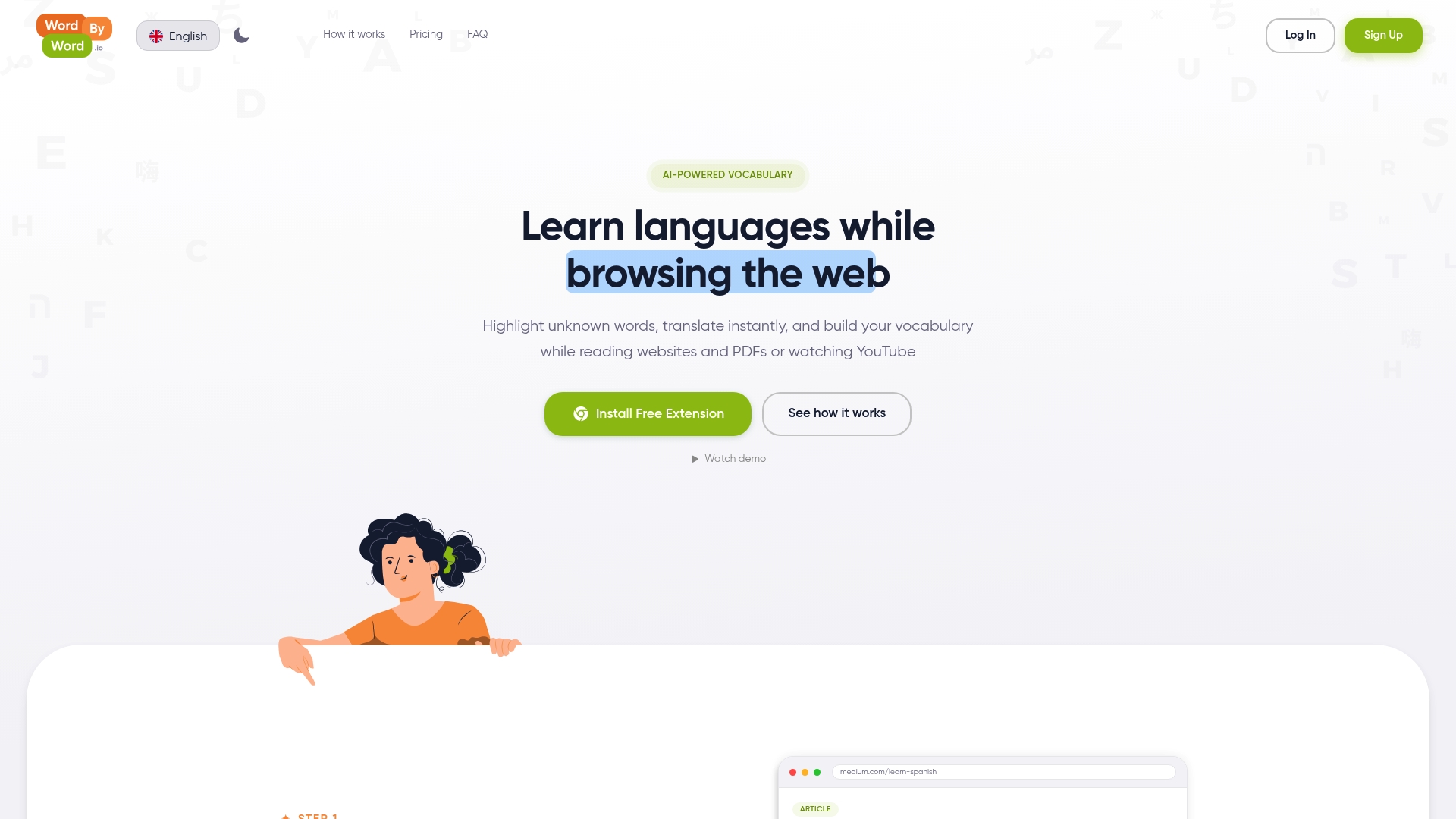
WordByWord is a browser extension that builds vocabulary as you read, watch YouTube, or browse PDFs, without switching to a separate app. Its Spotlight mode highlights words on any page based on how well you know them, so unfamiliar vocabulary stands out visually while you’re already engaged with content. Words you encounter get added to smart flashcards automatically, and the AI trainer reinforces them through spaced repetition without requiring a separate study session.
If you’re learning a language and want vocabulary to stick through real reading rather than isolated card drills, WordByWord is worth trying alongside whichever SRS app you choose for structured review. It covers 50+ languages and works across websites, PDFs, and YouTube.
Key Takeaways
The best Anki alternative depends on one factor above all others: whether you need AI to generate your cards, or whether you’re willing to create them manually in exchange for deeper algorithmic control.
| Point | Details |
|---|---|
| FSRS beats SM-2 | FSRS personalizes forgetting curves per user, improving retention by up to 30% compared to SM-2. |
| AI slashes creation time | AI tools generate cards in under 4 seconds versus over 2 minutes manually, removing the biggest dropout trigger. |
| Best for notes integration | RemNote combines FSRS scheduling with note-linked flashcards, preserving context during every review. |
| Best for zero-effort generation | NoteHive AI auto-generates decks from lecture recordings, though it lacks full SRS scheduling. |
| WordByWord for language learners | WordByWord builds vocabulary through real reading and browsing, complementing any SRS app you already use. |