
The fastest way to collect vocabulary by topic is to build small, tagged lists in a spreadsheet and export them as UTF‑8 CSVs you can import into Anki or WordByWord for spaced repetition study. No app required to start. A Google Sheet or LibreOffice Calc file with five columns gets you study-ready in minutes.
Here is what you need for each word card right away:
- Word (the target word or phrase)
- Part of speech (noun, verb, adjective, etc.)
- Short definition (one plain sentence, in the target language or your native language)
- Example sentence (a real sentence showing the word in context)
- Topic tag (e.g., Food, Animals, Music)
Three things you can do in the next five minutes: open a new spreadsheet and add those five column headers, pick one topic you are actively studying right now, and drop in three to five words you already know you need. That seed list is your first topic collection.
Key Takeaways
Collecting vocabulary by topic works best when every word you capture has an example sentence, a topic tag, and a clear path into a spaced repetition system for review.
| Point | Details |
|---|---|
| Start with five fields | Word, part of speech, definition, example sentence, and topic tag are the minimum for a study-ready card. |
| Use UTF‑8 CSV for export | Export from LibreOffice with UTF‑8 encoding; Anki requires it for non-Latin characters and multiline fields. |
| Tag before you import | Topic, subtopic, and difficulty tags set in your spreadsheet become SRS tags automatically on import. |
| Review on a cadence | Weekly additions, monthly pruning, and quarterly topic-balance checks prevent backlog and list rot. |
| WordByWord captures as you browse | The extension logs, translates, and tags words in real time, then exports a clean CSV for Anki import. |
Table of Contents
- How to collect vocabulary by topic: what good lists actually look like
- A step-by-step workflow to build your own topic vocabulary lists
- How to organize your topic vocabulary in a spreadsheet
- How to export your collection and import it into Anki
- A ready-made Food topic sample and CSV template
- How to keep your topic lists tidy and actually retain what you collect
- Why topic-based collection is the method that actually sticks
- WordByWord turns browsing into a topic vocabulary collection
- Sources
How to collect vocabulary by topic: what good lists actually look like
Random word dumps — a hundred words with no context, no grouping, no examples — are nearly impossible to study from. What separates a usable topic list from a word dump is structure and context.
EnglishClub’s topic vocabulary defines topic vocabulary as the typical words used when discussing specific subjects, organized into browsable sections like Food, Sports, Music, Movies, Time, Numbers, and Weather. That framing matters: a topic list is not just words that share a theme. It is words you would actually need to hold a conversation or read a text about that theme.
Well-built topic lists typically include:
- Example sentences showing how the word behaves in real usage
- Collocations (word pairs that go together naturally, like “heavy rain” or “make a decision”)
- Level or register labels (formal, informal, B1, C1) so you know when to use the word
- Quizzes or exercises to test recognition and recall
Oxford Learner’s Dictionaries takes this further with topic mini-dictionaries that group related words by subject, giving you curated sets rather than frequency-ranked lists. The difference matters for learners: a frequency list tells you what words appear most often in a corpus; a topic list tells you what words you need to talk about cooking, or weather, or music. Those are different problems.
LearnEnglish from the British Council pairs topic vocabulary with interactive exercises and example sentences, which is worth bookmarking when you need ready-made examples to fill in your own cards. For younger learners or classroom-style starter lists, Enchanted Learning’s theme word lists offer printable, topic-organized worksheets that work well as a first pass at a new subject area.
A step-by-step workflow to build your own topic vocabulary lists
The collection process breaks into four clean stages: choose, gather, vet, and tag. Skipping the vetting step is where most learners go wrong — they collect everything and study nothing.
- Choose your topic goal. Pick one specific topic (not “food” broadly, but “ordering at a restaurant” or “describing flavors”). Narrow scope means faster coverage and clearer study sessions.
- Gather candidate words. Read an article, watch a video, or listen to a podcast on that topic. Highlight or note every unfamiliar word. You can also mine Oxford’s topic dictionaries or EnglishClub’s topic pages for words you might have missed.
- Apply selection criteria. Not every word you encounter belongs on your list. Keep a word if it passes at least two of these tests:
- You are likely to encounter it again soon
- It appears in collocations you will need
- It fits your current level (not too easy, not too obscure)
- It has personal relevance to your goals
- Create your spreadsheet rows. Add one row per word, filling in all five core fields. Do not skip the example sentence — it is the field that does the most work when you review.
- Add a priority tag. Mark each word as high, medium, or low priority. High-priority words go into your SRS immediately; low-priority words sit in a holding column until you are ready.
- Tag by topic and source. Add the topic name and where you found the word (article title, podcast name, etc.). Source tags help you notice patterns in where your gaps are.
Pro Tip: Read Write Think’s vocabulary self-collection strategy recommends that learners choose words intentionally and record a short rationale for each one. Even a three-word note (“needed for travel,” “heard twice today”) increases ownership and long-term retention. Add a “Why I collected this” column to your spreadsheet and fill it in for your top-priority words.
How to organize your topic vocabulary in a spreadsheet
Structure your spreadsheet so its columns map directly to your SRS import fields. That way, you never have to reformat anything before importing.

Here is the recommended column set:
| Column | What to put in it |
|---|---|
| topic | Main topic label (e.g., Food, Music) |
| word | The target word or phrase |
| pos | Part of speech (n., v., adj., adv.) |
| definition | One-sentence plain-language definition |
| example | A full sentence using the word naturally |
| collocations | Two or three common word pairings |
| register | Formal / informal / neutral, plus level if known |
| priority | high / medium / low |
| source | Where you found the word |
| date_added | YYYY-MM-DD format |
| tags | Comma-separated: topic, subtopic, difficulty |
A sample row for the word simmer (Food topic) would look like this:
Food,simmer,v.,"Cook gently just below boiling point","Simmer the sauce for 20 minutes until it thickens.","simmer down / let it simmer",neutral / B2,high,NYT Cooking,2026-03-15,"Food,Cooking,B2"
A few practical notes on CSV formatting: wrap any cell that contains a comma in double quotes. If a cell contains double quotes itself, escape them by doubling them (""). For lists with non-Latin characters (Spanish, Japanese, Arabic), use LibreOffice Calc rather than Excel. The Anki manual explicitly recommends LibreOffice for exports that include multiline content, because Excel can silently change encoding in ways that break imports.
For tagging strategy, keep three tag types distinct:
- Topic tag: the main subject area (Food, Travel, Business)
- Subtopic tag: a narrower slice (Cooking, Ordering, Flavors)
- Difficulty tag: your level assessment (A2, B1, C1) or a simple easy/medium/hard
Consistent naming matters more than the naming system you choose. Decide on your conventions before you start and write them in a notes tab. “Food” and “food” are different tags in most SRS tools.
How to export your collection and import it into Anki
Getting your spreadsheet into Anki takes about three minutes once your columns are set up correctly. The Anki manual specifies that Anki accepts plain-text files with fields separated by commas, semicolons, or tabs, and requires UTF‑8 encoding for any non-Latin characters.
- Export as UTF‑8 CSV. In LibreOffice: File → Save a Copy → choose “Text CSV” → in the export dialog, set character set to UTF‑8 and field delimiter to comma.
- Add a header row. Anki reads optional header keys at the top of the file. The most useful ones:
#separator:Comma,#html:false,#tags column:11(adjust the column number to match your tags column), and#notetype:Basic. - Test with five rows first. Before importing your full list, import a five-row sample. Check that example sentences survive intact, that accented characters display correctly, and that tags appear as expected.
- Import the full file. In Anki: File → Import → select your CSV → map each column to the correct field in the dialog.
- Set up your deck structure. You have two options: one deck per topic (clean separation, easy to review a single topic) or one deck with topic tags (more flexible, lets you mix topics in a single session). For most learners, tags inside one deck work better because Anki’s filtered decks let you create a temporary topic-focused session without permanently splitting your cards.
Common import mistakes to avoid:
- Wrong encoding: Excel’s default export is often not UTF‑8. Always check the export dialog.
- Broken multiline fields: If your example sentence contains a line break, Anki reads it as two separate rows. Keep example sentences on one line.
- Mismatched column count: Every row must have the same number of fields. A missing comma creates a shift that corrupts the entire row.
- Duplicate handling: Anki’s import dialog has a “duplicate handling” option. Set it to “Update existing notes” if you are re-importing an updated list.
For learners who want to skip manual card-building, Free can take a word list and output Anki-importable CSV files with definitions, example sentences, IPA, and mnemonics. Verify the examples for register and accuracy before importing, but it cuts the card-creation time significantly.
A ready-made Food topic sample and CSV template
Here is a 10-word Food topic list you can copy directly into your spreadsheet:
The CSV header row to use:
#separator:Comma
#html:false
word,pos,definition,example,collocations,topic
Save the file as food_vocab.csv with UTF‑8 encoding. Before importing into Anki, open the file in a plain text editor (Notepad on Windows, TextEdit on Mac in plain-text mode) and confirm the first line reads #separator:Comma. If you see garbled characters where accented letters should be, your export encoding is wrong — re-export from LibreOffice with UTF‑8 selected explicitly.
Pro Tip: Keep a master template file with just the header row saved in your vocabulary folder. When you start a new topic, duplicate the template, rename it, and start adding rows. You will never have to remember the column order again.
How to keep your topic lists tidy and actually retain what you collect
Collecting words without reviewing them is the most common vocabulary mistake. Marzano and Pickering’s work on academic vocabulary offers a scheduling mindset that translates well to self-study: plan a target number of words per topic per week, treating that target as a manageable ceiling to avoid backlog. Collecting more than you can review in a week creates backlog, not learning.
A practical maintenance cadence:
- Weekly: Add new words from that week’s reading or listening. Check that all new rows have example sentences. Move any “low priority” words you have now encountered twice up to “medium.”
- Monthly: Prune duplicates, merge near-synonyms into one card with a usage note, and retire words you have clearly mastered (move them to an “archived” tab rather than deleting them).
- Quarterly: Review topic coverage balance. If you have 80 Food words and 5 Travel words but travel is a stated goal, shift your collection focus.
Metrics worth tracking in a simple notes tab:
- New words added per week per topic
- Review success rate in Anki (aim for above 80% on mature cards)
- Retention check at 30 days and 90 days (Anki’s statistics panel shows this)
- Topic coverage: how many words per topic versus your target
For pruning, three rules keep lists clean: merge any two cards where one is a synonym of the other and add a usage note to the surviving card; retire words you have mastered based on your learning progress; split any topic that becomes too large into smaller subtopics. (e.g., “Food: Cooking Techniques” and “Food: Ingredients”).
Pro Tip: Schedule a 10-minute “micro-review” at the same time each day, separate from your collection session. Collecting and reviewing in the same sitting feels productive but trains passive recognition. The spaced repetition schedule that actually builds retention requires time gaps between exposure and recall.
Why topic-based collection is the method that actually sticks
Most vocabulary advice focuses on quantity: learn 10 words a day, hit 5,000 words by year two. The problem is that isolated word targets ignore the way memory actually works. Words stick when they are connected to other words, to contexts, and to real communicative needs.
Topic-based collection forces those connections. When you collect words for the “ordering at a restaurant” topic, every word on that list is already linked to the others by situation. Simmer and garnish and savory live in the same mental neighborhood. Reviewing them together reinforces the network, not just the individual nodes.
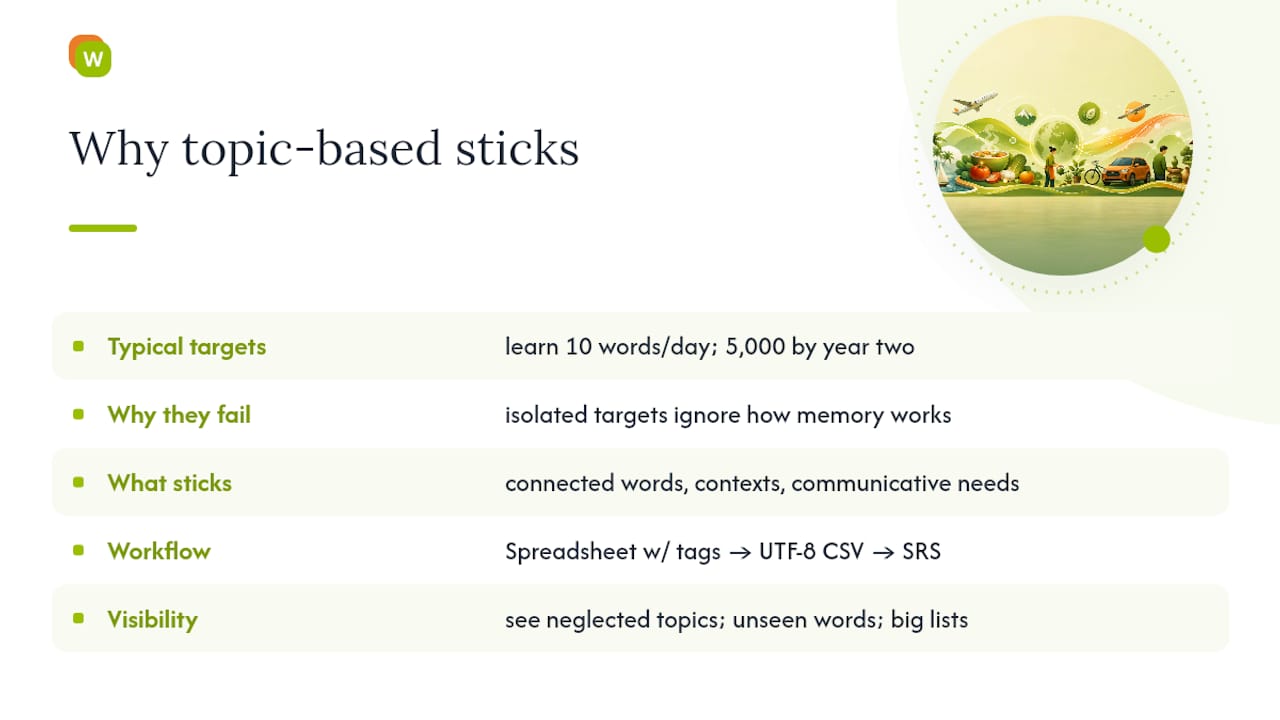
The workflow described here — spreadsheet with tagged fields, UTF‑8 CSV export, SRS import — is not just a filing system. It is a way of making your collection decisions visible and reversible. You can see which topics you have neglected, which words you have never actually reviewed, and which lists have grown too large to study effectively. That visibility is what separates a learner who collects vocabulary from one who learns it.
WordByWord turns browsing into a topic vocabulary collection

WordByWord’s browser extension handles the most friction-heavy part of this workflow: capturing words the moment you encounter them. While reading an article, watching a YouTube video, or working through a PDF, you highlight a word and WordByWord translates it, logs it to your personal collection, and lets you tag it by topic on the spot. No tab-switching, no copy-pasting into a spreadsheet later.
From there, your tagged collection feeds directly into WordByWord’s smart flashcard system, which applies spaced repetition automatically. When you are ready to export, the CSV export feature outputs a file formatted for clean Anki import. The free tier gives you full access to core collection and translation features across 50+ languages. Try WordByWord free and see how fast a reading session turns into a study-ready topic list.
Sources
- EnglishClub — Topic vocabulary
- Text Files - Anki Manual
- Choosing, Chatting, Collecting Vocabulary — Read Write Think
- Free