
For vocabulary-first learners who want to build their word bank while browsing, reading PDFs, or watching YouTube, WordByWord is the top freemium pick. Its browser extension lets you highlight any unknown word for an instant translation, saves it to a personal collection, and then drills it back with smart flashcards and an AI trainer, all without leaving the page you’re reading. The free tier covers the core workflow. Install the extension, run Spotlight mode on any article, and you’ll see exactly which words you know and which ones you don’t within seconds.
How do you choose the right freemium app for vocabulary goals?
PCMag’s testing makes one thing clear: define your goal before you pick a tool. A traveler needs phrase recall; a reader needs deep vocabulary. For browser-based learners, the checklist looks like this:
-
Browser extension available? No extension means manual copy-paste, which kills the workflow.
-
Instant inline lookup? The definition should appear on the page, not in a separate tab.
-
Spaced repetition (SRS)? Words need scheduled review, not one-and-done flashcards.
-
Import/export? CSV support lets you move your word list between tools.
-
Media support? YouTube and PDF compatibility matters if that’s where you read and watch.
-
Language coverage? Confirm your target language is fully supported, not just sampled.
-
Privacy? Extensions read page content; check what data the tool collects.
Rank those by your own workflow. If you spend two hours a day reading foreign-language news, browser integration and inline lookup should be non-negotiable. SRS matters next. Export and media support are secondary unless you’re also studying from PDFs or subtitled video.
Pro Tip: Test any extension during a real browsing session on the sites you actually use, not just on the app store demo page. PCMag recommends live testing in your actual browser context as the most reliable evaluation method.
What do freemium language tiers actually give you?
Freemium is not the same as free. Many learners assume a free tier means full curriculum access. In practice, Wirecutter’s multi-week testing found that speaking feedback, unlimited practice, and advanced personalization are routinely locked behind paid plans.
| Freemium limit | How common | Real impact on browsing workflow |
|---|---|---|
| Daily time cap (e.g., 5 min/day) | Very common | Cuts sessions short mid-article |
| Energy/hearts system | Common | Punishes mistakes, disrupts flow |
| AI feedback locked | Common | No correction on saved words |
| Language packs paywalled | Moderate | Target language may be restricted |
| Export/import locked | Moderate | Can’t move your word list |
| Ads between sessions | Common | Interrupts review rhythm |
Drops supports a large vocabulary across many languages but caps free daily sessions at a brief duration. That’s enough to build a habit but not enough for deep reading sessions. Busuu, with a large learner community, gates advanced AI-driven feedback behind its premium plan. HelloTalk’s peer exchange is free, but correction tools and unlimited translation are restricted.
The distinction that matters most for browsing-driven learners: does the free tier let you capture and review words without hitting a wall mid-session? Apps without daily caps, as multiple reviewers note, produce longer sessions and fewer habit drop-offs.
Pro Tip: If a time cap is blocking you, split your review into two short sessions at different times of day. Many apps reset limits at midnight, so a late-evening and early-morning session effectively doubles your free daily practice.
Which features matter most when you learn while browsing?
Gamified streaks are fine for motivation. They’re not what drives vocabulary retention when your primary study happens inside a browser tab. What actually matters:
-
One-click word capture from any webpage, no copy-paste required
-
Inline definitions that appear on the page without opening a new tab
-
Contextual highlighting that shows which words you know at a glance
-
SRS flashcard review scheduled around forgetting curves
-
YouTube subtitle integration for video-based learners
-
PDF support for academic or professional reading
-
50+ language coverage so you’re not limited to the top five
-
Offline review so you can drill saved words without a connection
Integration with authentic content speeds acquisition because learners encounter words in real context and can re-encounter them naturally. That’s the core argument for a browser extension over a standalone app: you’re not studying in a vacuum, you’re studying inside the actual material you care about.
Wirecutter’s testing identified spaced repetition as the feature that most reliably supports vocabulary retention in free-tier tools. If an app’s SRS is paywalled, the free tier is essentially a sampler, not a study tool.
How to build a daily vocabulary habit while you browse
This workflow takes 15–25 minutes and fits inside a normal reading session.
-
Install the extension and pin it to your browser toolbar.
-
Open an article, PDF, or YouTube video in your target language (or a bilingual source).
-
Run Spotlight mode to see which words on the page are unknown to you.
-
Highlight any unfamiliar word for an instant inline definition.
-
Save it to your collection with one click.
-
After reading, open the flashcard trainer and review the words you captured today.
-
Run the AI trainer for 5 minutes to get active recall practice on recent saves.
-
Check your progress dashboard to see which words are moving toward “mastered.”
For spaced review, aim for two short sessions: one right after capturing words, one 24 hours later. Active recall (producing the word from a prompt) works better for long-term retention than recognition (picking from multiple choice). Use recognition drills when you’re tired; switch to active recall when you’re focused.
Pro Tip: Pair the extension with a foreign-language podcast or newsletter you already enjoy. Words you capture while reading an article and then hear in audio the same day stick faster because your brain logs two separate retrieval events.
When should you upgrade from the free tier?
The free tier is genuinely useful for most learners at the vocabulary-building stage. You’ll know it’s time to consider upgrading when:
-
You’re hitting collection limits and can’t save new words without deleting old ones
-
You want CSV import to bring in a pre-built word list from a course or textbook
-
You need advanced AI feedback on pronunciation or sentence construction
-
You want enhanced voiceover for accurate native-speaker audio on every saved word
-
You’re managing multiple languages and need separate, unlimited collections for each
Before subscribing, ask yourself three questions: Am I using the free tier every day? Have I hit its limits at least three times this week? Would the paid feature I want change my actual study behavior, or just feel nice to have?
If the answer to all three is yes, a monthly plan is worth testing before committing annually. Most platforms offer a trial period; use it to confirm the paid features fit your workflow before locking in a longer commitment.
Pro Tip: Annual plans typically cost significantly less per month than monthly billing. If you’ve used the free tier consistently for 30 days, the annual plan almost always pays off.
Why WordByWord is the best freemium pick for browser-based learners
WordByWord was built specifically for the workflow described above. Here’s how its capabilities map to what vocabulary learners actually need:
| Feature category | WordByWord free tier |
|---|---|
| Browser extension | Yes, works on websites, PDFs, YouTube |
| Instant inline lookup | Yes, highlight any word for translation |
| Spotlight mode | Yes, highlights unknown words across the full page |
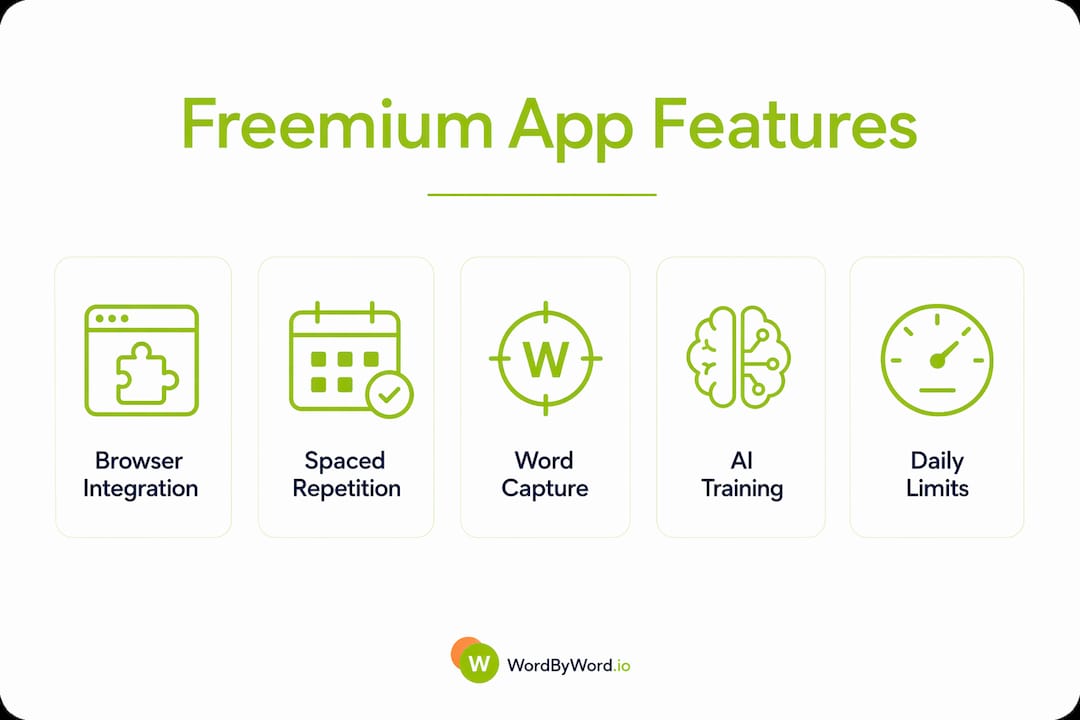
| SRS flashcards | Yes, included in free tier |
| AI trainer | Available (advanced exercises in paid tier) |
| Language coverage | 50+ languages |
| CSV import/export | Available |
| Progress tracking | Yes, tracks word status from unknown to mastered |
| YouTube subtitle support | Yes |
The Spotlight mode is the feature that separates WordByWord from generic translation tools. It turns a webpage into a visual vocabulary map: unknown words are highlighted, familiar ones fade. You can scan a page in seconds to judge whether the text is at your level, then read knowing exactly where to focus. As your vocabulary grows, the highlights disappear. That visual feedback loop is something no standalone flashcard app can replicate.

For learners who want to match apps to specific goals, resources like this guide to choosing language apps offer useful frameworks for thinking through your priorities before committing to any tool.
The free tier covers installation, Spotlight, word capture, basic flashcards, and progress tracking. The paid plan unlocks unlimited collections, advanced AI exercises, enhanced voiceover, and full CSV import. Start free, upgrade when the limits become real friction.
Key Takeaways
Browser-extension-first vocabulary tools outperform standalone apps for learners who spend significant time reading or watching content online.
| Point | Details |
|---|---|
| Top freemium pick | WordByWord offers browser integration, Spotlight mode, SRS, and AI training in its free tier. |
| Free tier reality | Time caps, locked AI feedback, and export limits are common; confirm what’s free before committing. |
| SRS is non-optional | Spaced repetition is the feature most linked to long-term vocabulary retention in free tools. |
| Upgrade signals | Hit collection limits, need CSV import, or want advanced AI feedback three times in a week. |
| Start here | Install WordByWord, run Spotlight on one article, and save five words today. |
Why integration beats isolated drills for vocabulary growth
The conventional wisdom says consistency is everything in language learning. That’s true, but it misses a more important variable: where you practice. Isolated app drills build habit. They rarely build the kind of vocabulary that sticks under pressure, because the words are learned without context, without the sentence they live in, without the topic they belong to.
Learners who capture words inside content they genuinely care about, a news article, a YouTube video, a research paper, tend to retain those words faster. The reason is straightforward: the brain encodes memory more deeply when it attaches a word to a specific moment of meaning. “I read that word in an article about climate policy” is a stronger memory hook than “I saw that word on a flashcard at 8 AM.”
Freemium apps are strongest at habit formation, and that’s genuinely valuable. But habit alone doesn’t produce fluency. The learners who progress fastest are the ones who pair their app with real content, and who use a tool that makes that pairing frictionless. A browser extension that captures words from the article you’re already reading is not a supplement to your study session. It is your study session.
WordByWord is free to install and takes two minutes to set up
Most vocabulary learners spend weeks testing apps before finding one that fits their actual browsing habits. WordByWord skips that friction. Install the free browser extension, open any article or YouTube video in your target language, and run Spotlight mode. You’ll see your vocabulary gaps mapped directly on the page.
Quick-start checklist: enable the extension, run Spotlight on one page, save five words, run the AI trainer for five minutes. That’s the full core workflow, available free. When you’re ready for unlimited collections, advanced AI exercises, and enhanced voiceover, the paid plan is there. But most learners find the free tier covers everything they need to build a real daily habit.
Useful sources and further reading
| Source | What it covers |
|---|---|
| Wirecutter: Best Language Learning Apps | Multi-week app testing; SRS, freemium limits, speaking feedback paywalls |
| PCMag: Best Free Language Learning Apps | Goal-first selection advice; live browser testing recommendations |
| Hello Nabu: Best Free Language Learning App | Expert view on freemium habit formation vs. fluency depth |
| Drops | Five-minute session model; integration as a success factor |
| Busuu | CEFR-aligned lessons; large learner community; AI feedback gating |
| PolyChat Blog: Free Language Learning Apps | Analysis of energy-limit mechanics and session length impact |
| WordByWord.io | Product documentation, Spotlight mode, AI trainer, supported languages |