
TL;DR:
- An AI-powered browser extension like WordByWord offers seamless vocabulary capture in context and automatic review scheduling. It provides immediate translation, personalized collections, and AI exercises, making it ideal for intermediate learners who read or watch content online. Combining such tools with short, regular review sessions enhances long-term retention and reduces review load.
For learners who want to build vocabulary while actually browsing the web, the best Memrise alternative is an AI-powered browser extension that captures words in context, tracks them automatically, and schedules reviews without forcing you to open a separate app. WordByWord leads that category. If you want maximum retention control, an SRS-focused web tool with FSRS scheduling is the stronger pick. If speaking practice is the gap, a live-tutor platform fills it as a complement, not a replacement.
Memrise works well for raw vocabulary volume and its native-speaker video clips, but user reviews consistently flag limited grammar instruction and the loss of community-created courses as reasons to look elsewhere. The three categories above cover every realistic use case.
Table of Contents
- What are the best Memrise alternatives right now?
- How do these approaches actually differ in practice?
- How do you pick the right tool for your level and workflow?
- WordByWord and the main alternative categories
- Why an AI browser extension often beats a standalone app for intermediate learners
- How we evaluated these tools
- Which tool should you actually use?
- Key Takeaways
- The case for learning where you already are
- WordByWord is the in-browser alternative worth trying first
- Sources and further reading
What are the best Memrise alternatives right now?
| Feature | WordByWord | Inline Translator Extensions | SRS Web Tools | Live-Tutor Platforms |
|---|---|---|---|---|
| Best for | Intermediate learners browsing daily | Quick lookups, casual reading | Serious retention, advanced learners | Speaking fluency, conversation gaps |
| Type | Browser extension | Browser extension | Web app / desktop | Web / app marketplace |
| Instant in-page translation | Yes | Yes | No | No |
| Vocab tracking / collections | Yes, automatic | Limited or manual | Yes, manual import | No |
| SRS algorithm | Smart flashcards + scheduling | None or basic | FSRS / SM-2 | None |
| AI features | AI trainer, contextual examples, drills | Translation only | AI card generation (varies) | AI chat (some platforms) |
| PDF & YouTube support | Yes (both) | PDF varies; YouTube limited | PDF import (most); YouTube rare | No |
| Browser compatibility | Chrome, Firefox, Edge | Chrome, Firefox (varies) | Browser-based (any) | Browser-based (any) |
| Languages supported | 50+ | Varies | Varies (deck-dependent) | Varies by tutor availability |
| Free tier | Yes | Yes (most) | Yes (Anki free; others freemium) | Trial lessons from ~$4 |
| Typical paid pricing | Freemium; paid plan unlocks AI exercises | Free or low-cost | Free–$15/month | $15–$50+/hour |
How do these approaches actually differ in practice?
Instant in-page translation changes the learning loop entirely. With a browser extension, you highlight a word mid-article and get a definition without leaving the page. That frictionless capture is what separates extensions from standalone apps: the word enters your collection while the context is still in front of you, which is exactly when it sticks.
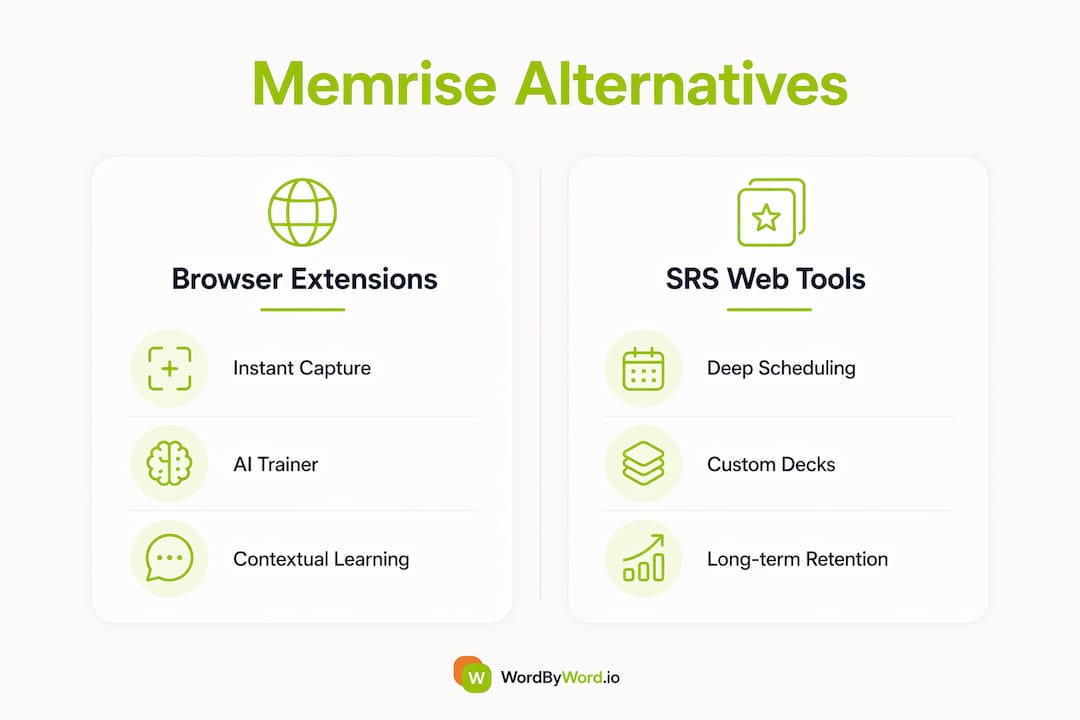
Vocabulary tracking quality varies more than most comparisons admit. Lightweight inline translators log lookups, but they rarely organize words into reviewable collections or flag which ones you’ve seen three times versus once. WordByWord tracks every capture automatically and builds personalized collections you can export as a CSV, which matters when you want to back up your data or import it elsewhere.
SRS algorithm depth is where the categories diverge most sharply. Basic scheduling (fixed intervals) is fine for casual learners. SM-2, the algorithm behind Anki, is a significant step up. FSRS reduces daily review time by about 20–30% at equivalent recall rates compared with classic SM-2 variants, offering a significant efficiency boost when reviewing large vocabularies. Serious learners should know which algorithm is running their reviews.
AI features in this context means more than a chatbot. The useful kind generates example sentences from your actual captured words, offers grammar micro-explanations in context, and adapts drills to what you’ve been struggling with. Translation-only extensions don’t do this. WordByWord’s AI trainer operates at this level; most lightweight alternatives stop at the definition.
PDF and YouTube support is a practical filter. If you read research papers or watch foreign-language content regularly, you need a tool that works in those environments. Many extensions handle standard web pages well but break on PDFs or strip YouTube subtitles.
Trade-offs to weigh:
- Ease vs. power: lightweight translators have zero setup; FSRS-enabled SRS tools require configuration time upfront
- Capture speed vs. review depth: extensions win on capture; dedicated SRS tools win on long-term scheduling
- Contextual learning vs. isolated drilling: in-browser capture keeps context intact; standalone flashcard apps lose it
- Over-customized SRS setups can create tool fatigue, where you spend more time managing the system than actually learning
Pro Tip: If you’re past the A2 level and reading authentic content regularly, prefer an FSRS-enabled workflow over a basic interval system. The review-load reduction compounds over months, and you’ll spend that saved time on actual input.
How do you pick the right tool for your level and workflow?
Pick based on your primary learning job: instant comprehension while browsing, long-term retention through scheduled review, or speaking practice. Those are three different jobs, and no single tool does all three equally well.
Five-feature checklist before committing to any tool:
- In-page capture speed: how many clicks to save a word from an article or YouTube subtitle?
- SRS algorithm: does it use FSRS, SM-2, or a basic fixed interval? Does it tell you?
- AI contextualization: does it generate example sentences from your own word list?
- PDF and YouTube import: can you capture vocabulary from the content you actually consume?
- Export and backup: can you download a CSV of your entire collection?
Questions to ask during a free trial:
- Does it capture words directly from YouTube subtitles?
- Can I export my full vocabulary list as a CSV?
- Which SRS algorithm schedules my reviews, and can I see the settings?
- Does it work on Firefox and Edge, not just Chrome?
- What happens to my data if I cancel the paid plan?
Red flags:
- No CSV export (your vocabulary is locked in)
- No spaced repetition at all
- Free tier so limited it can’t form a real habit
- Chrome-only with no Firefox or Edge support
- No in-page capture, only manual entry
7-day trial checklist:
- Day 1: Install and capture 20 words from one article
- Day 2: Capture 10 words from a YouTube video or subtitle
- Day 3: Complete your first SRS review session
- Day 4: Import or open a PDF and test capture
- Day 5: Check your collection, export a CSV
- Day 6: Use the AI trainer or example-sentence feature
- Day 7: Evaluate review load and friction honestly
WordByWord and the main alternative categories
WordByWord
WordByWord is a browser extension covering 50+ languages that handles the full capture-to-review loop without leaving your browser. Highlight a word on any webpage, PDF, or YouTube subtitle and it translates instantly, logs the word, and adds it to your collection. The Spotlight mode overlays your vocabulary knowledge directly onto the page, coloring words by how well you know them so you can gauge a text’s difficulty at a glance. The AI trainer generates contextual examples and personalized drills from your actual word list. Smart flashcards handle scheduling. CSV import and export are both supported. The free tier covers core translation and tracking; the paid plan unlocks unlimited collections, AI-powered exercises, and enhanced voiceover.

Pros: Instant in-page capture with zero friction; Spotlight mode gives a live difficulty map of any page; AI trainer works from your personal word list
Cons: Speaking practice requires a separate tool; advanced SRS algorithm configuration is less exposed than dedicated SRS apps
Inline translator extensions (lightweight category)
These extensions focus on one job: translate a highlighted word or phrase instantly. Setup takes under a minute, and they work across most websites. They’re useful for casual reading but rarely build a reviewable vocabulary collection or schedule repetition.
Pros: Near-zero setup; broad language support; free in most cases
Cons: No meaningful SRS; vocabulary capture is either absent or unorganized
SRS-first web tools (Anki, Readlang, and similar)
These tools prioritize long-term retention. Anki supports FSRS natively and has a massive shared-deck library. Readlang lets you import text and click words to build a reading-based deck. AI card generation paired with FSRS scheduling produces fast, customized decks that come close to what community-built courses used to offer on Memrise. The trade-off is setup time and a steeper learning curve.
Pros: Best-in-class retention scheduling; deep customization; strong CSV/PDF import
Cons: No in-page browser capture; setup friction is real; not designed for passive browsing workflows
Live-tutor platforms (speaking complement)
Trial lessons start around $4 on major tutor marketplaces, making it easy to test whether structured conversation practice fills the gap that flashcard-first workflows leave open. These platforms don’t replace vocabulary tools; they convert memorized words into spoken language. Pairing a flashcard or SRS tool with live conversation practice is a common recommendation for learners who plateau on comprehension but struggle to produce language.
Pros: Real speaking practice; immediate feedback from a native speaker; flexible scheduling
Cons: Cost scales with hours; no vocabulary tracking or SRS; requires scheduling discipline
Why an AI browser extension often beats a standalone app for intermediate learners
FSRS reduces daily review time by about 20–30% at equivalent recall rates compared with older scheduling algorithms. That efficiency gain matters most for intermediate learners, who typically carry the largest active vocabulary lists and face the steepest review loads.
Contextual learning amplifies that efficiency. When you capture a word mid-article, you encode it alongside the sentence, the topic, and the moment of confusion. That context is what isolated flashcards strip away. Studying vocabulary as it appears in real articles, PDFs, or videos consistently improves reading and listening comprehension transfer compared with drilling words in a vacuum.
Capture friction is the hidden variable most comparisons ignore. A tool that requires three clicks to save a word will be abandoned. A tool that saves on highlight keeps your collection growing passively, which means your review deck reflects what you actually read, not what you remembered to add manually.
Pro Tip: Combine an in-browser capture tool with short, scheduled SRS sessions of 10–15 minutes rather than long ad-hoc study blocks. Frequency beats duration for vocabulary retention, and keeping sessions short makes the habit stick.
How we evaluated these tools
Evaluation prioritized real-world browsing workflows: capture a word from an article, import a PDF, capture from a YouTube subtitle, export a CSV, and complete a review session. Every tool was assessed against the same checklist.
Evaluation checklist:
- Instant translation fidelity (accuracy on low-frequency words)
- Capture speed (clicks required to save a word)
- SRS algorithm transparency (does the tool disclose what it uses?)
- PDF import and in-PDF capture
- YouTube subtitle capture
- Browser compatibility across Chrome, Firefox, and Edge
- CSV import and export
- AI contextual explanations (example sentences, grammar notes)
- UX friction for adding words mid-reading
- Free-tier feature scope and pricing of paid plans
Hands-on test tasks included capturing 20 words from a news article, importing a two-page PDF, capturing vocabulary from a YouTube video with subtitles, and exporting the resulting collection as a CSV. Wirecutter’s language app framework informed the UX friction weighting, specifically the principle that click count to capture a word predicts long-term tool adoption better than feature count. FSRS research informed review-load estimates. Memrise’s community forum closure was noted as a migration driver, explaining why many learners now prioritize tools with AI card generation or strong CSV import.
Which tool should you actually use?
By learner type:
- Beginner: Start with a structured course app for grammar foundations, then add a browser extension to capture vocabulary from content you enjoy. The extension reinforces what the course teaches without adding a separate study session.
- Intermediate: An AI browser extension paired with FSRS-enabled SRS review is the strongest combination. You capture in context, review efficiently, and your word list grows from real reading rather than curated lesson packs. WordByWord handles both sides of this loop.
- Advanced: Shift weight toward SRS-first web tools for deliberate retention work, and add live-tutor sessions to convert passive vocabulary into active production. Memrise’s video approach retains value for pronunciation exposure at this stage.
For the browsing-first workflow described here, an AI browser extension is the top pick. Instant capture, automatic tracking, and contextual review all happen inside the browser you’re already using. The free tier is enough to form a habit; the paid plan adds the AI trainer and unlimited collections when you’re ready to go deeper.
Typical cost: free tier for core features, paid plans in the $5–$15/month range for AI-powered tools. Live-tutor sessions add cost on top, but even one session per week at entry-level pricing is accessible.
Key Takeaways
For in-browser vocabulary learning, an AI-powered browser extension that captures words in context and schedules reviews beats any standalone app for intermediate learners who read and watch content daily.
| Point | Details |
|---|---|
| Browser extension wins on capture | In-page capture with zero friction keeps your vocabulary collection growing from real content. |
| FSRS cuts review load | FSRS reduces daily reviews by about 20–30% at equivalent recall versus classic SRS algorithms. |
| Match tool to learning job | Instant comprehension, long-term retention, and speaking practice each require a different tool category. |
| Run the 7-day trial checklist | Test capture speed, SRS algorithm, CSV export, and PDF/YouTube support before committing. |
| WordByWord covers the full loop | WordByWord handles in-page translation, automatic tracking, AI trainer, and CSV export across 50+ languages. |
The case for learning where you already are
The conventional wisdom on language apps assumes you need a dedicated study session: open the app, work through the lesson, close it, and return to your day. That model made sense when the only alternative was a textbook. It makes less sense now.
The learners who make the most consistent progress are the ones who’ve stopped treating vocabulary study as a separate activity. They read the news, watch a documentary, or skim a research paper in their target language, and the words they don’t know get captured automatically. The review happens later, in a short session, against a list that actually reflects what they’ve been reading. That’s not a hack. It’s just a better fit between the tool and how adults actually spend their time.
What most app comparisons miss is that the bottleneck isn’t motivation or even method. It’s friction. A tool that requires you to switch contexts to save a word will be abandoned within two weeks, regardless of how good its algorithm is. The best Memrise alternative for most intermediate learners isn’t the one with the most features. It’s the one that disappears into the workflow.
WordByWord is the in-browser alternative worth trying first
Every tool in this comparison does something well. But if your goal is to build vocabulary from the content you’re already consuming, without opening a separate app or manually copying words into a deck, WordByWord is the direct answer.
Install the extension, highlight 20 words from any article or YouTube video, and your first review session is ready. The free tier covers in-page translation, automatic vocabulary tracking, and smart flashcards across 50+ languages. The paid plan adds unlimited collections, AI-powered exercises, and enhanced voiceover when you’re ready to go further.
Three steps to get started: install WordByWord from your browser’s extension store, capture 20 words from an article or YouTube subtitle today, and run a 10-minute review session each morning for seven days. By day seven, you’ll know whether the workflow fits. Most learners find it does.
Sources and further reading
- The FSRS Spaced Repetition Algorithm (RemNote): Primary reference for FSRS efficiency claims and review-load reduction figures
- SRS Triage: Fix Reviews Out of Control (Kotoba Brew): Practitioner perspective on tool fatigue and SRS over-customization
- Memrise Alternative: Best SRS Vocabulary Tools (FluentFlash): Category comparison of AI card generation and FSRS-style scheduling
- Memrise Community Forum Closure (Memrise Help): Context for why learners migrated toward customizable or AI-generated deck tools
- Best Memrise Alternatives (App Vulture): Aggregated review roundup covering Memrise strengths and retention limitations
- italki Blog: Memrise Alternatives: Supports the recommendation to pair SRS tools with live conversation practice
- The 4 Best Language Learning Apps of 2026 (Wirecutter): UX friction framework and app evaluation methodology
- italki vs Preply Comparison (PracticeMe): Pricing reference for live-tutor trial lessons